
Drama Studio
Turn an idea, outline, script, or novel excerpt into a motion comic or animated short. Keep characters, storyboard frames, generated video shots, and the final cut together in one project.
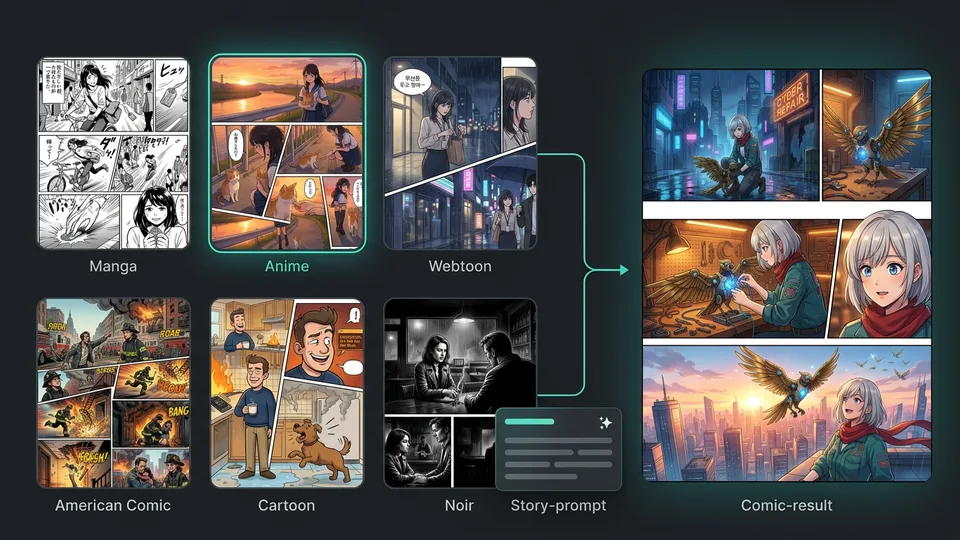
Start with a comic style preset, add your story, characters, or reference images, then generate a complete multi-panel comic built around your content.
Three Simple Steps
Choose a comic style preset, add your story, characters, or reference images, then generate a complete multi-panel comic.
Start with Manga, Anime, Webtoon, American Comic, Cartoon, or Noir to define the look and visual language of your comic.
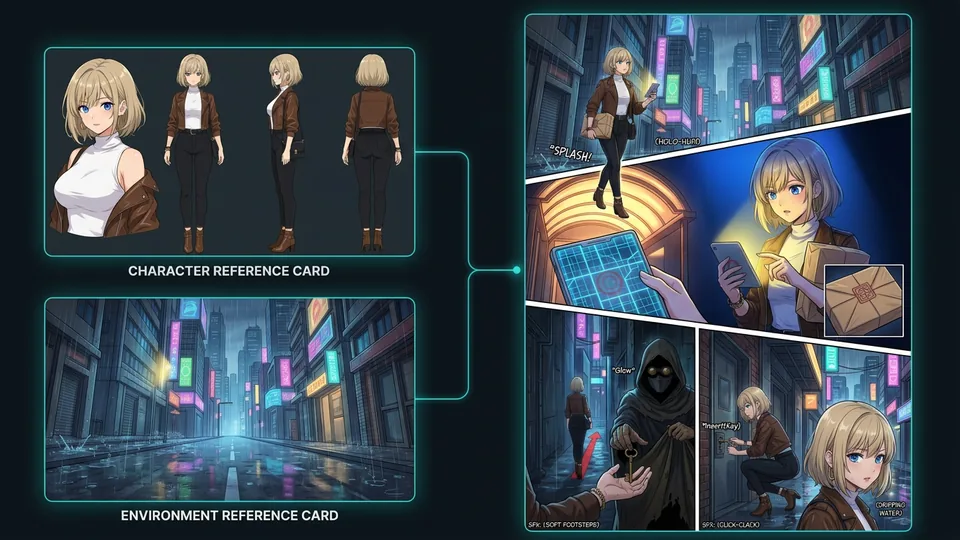
Describe what happens, add the characters you want to use, and include reference images when you need more visual guidance.
Generate a complete multi-panel comic based on your chosen style, story or prompt, characters, and reference images.
Start with a preset or your own idea, shape what happens in each panel, and reuse characters and reference images across your comics.
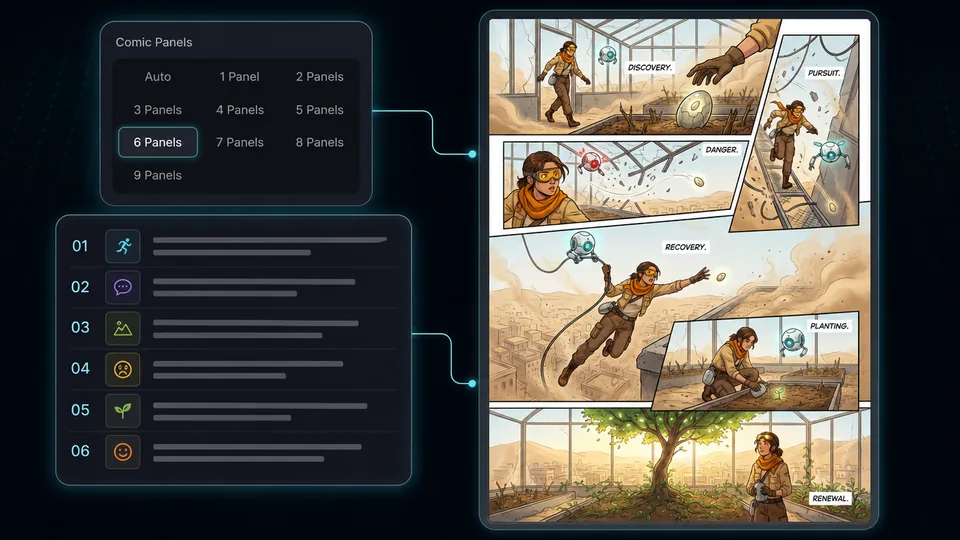
An AI comic generator turns a story or text prompt, with optional reference images, into a comic image. In Comik AI, you can choose a comic style preset, set 1 to 9 panels or use Auto, and describe what should happen in each panel.
You can choose Manga, Anime, Webtoon, American Comic, Cartoon, or Noir. Each preset gives your comic a distinct visual direction.
No. You can use a comic style preset to set the visual direction, or start from your own idea and describe the comic freely. You can specify the characters, setting, action, dialogue, and other details in your prompt.
Yes. Let Auto choose an appropriate panel count from 1 to 9, or select the exact number yourself. All panels are composed into one generated comic image rather than returned as separate images.
Yes. Describe each panel in order, including its characters, action, setting, or dialogue. Comik AI uses those instructions when composing the generated comic image.
Yes. You can reuse saved characters in new comics and add reference images to guide character appearance and other visual details in the generated comic.
No. Start with a simple story idea, scene, or character action. Prompt Agent can help turn it into a clearer prompt for comic generation before you create the comic.


